Directive Analytics

Directive Blog

Directive Blogs

Directive has been serving the Oneonta area since 1993, providing IT Support such as technical helpdesk support, computer support, and consulting to small and medium-sized businesses.

Handy Tips for Taking Screenshots

Don't you hate it when you contact us for tech support with a strange issue, and then you can't recreate it? Don't feel bad. It happens all the time, even to us. Sometimes those rarely occurring issues can't be fixed unless you get some photographic evidence of what's going on. This quick guide will show you how to take screenshots of your desktop.

Tags:
DIY
0 Comments
Continue reading

Going Green for Small Businesses

recycle symbol

Today, small businesses that go green and take action towards reducing energy consumption, waste production, and apply sustainability concepts benefit from a lower cost of day-to-day business. Being green looks great for investors, employees, and consumers alike and can contribute to press and media attention. That sounds great, right? Unfortunately, like most things, going green isn't something you can do over night. It takes time, dedication, and sometimes, a little bit of investment. Hit the jump for some tips to go green with your business.

0 Comments
Continue reading

Save Money by Switching to LCD Monitors

computer depicting warning sign

Computer equipment is expensive, but most people don't even think about the costs it takes to run an entire office worth of tech.  Modern hardware is becoming more and more energy efficient, but older equipment can take a lot of electricity to run (not to mention the maintenance of keeping things running smoothly.  One of the biggest energy hogs in an office these days are old CRT monitors.

0 Comments
Continue reading

Microsoft OneNote: Your Desktop's Productivity Swiss Army Knife

onenote screenshot

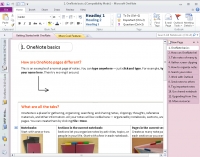
Microsoft's OneNote is often seen as one of the extra applications that is bundled in with several Microsoft Office packages.  In this article, We'll introduce OneNote, and show off some neat things it's used for, and how it can make your life easier.  OneNote has a whole slew of neat features that you can take advantage of, which we'll cover in the article as well.

0 Comments
Continue reading

Save Often. Save Often. Save Often.

lightning strike

I'm sure nobody has missed out on any of the storms happening here in New York. Even our lights have been flickering. Mother nature can be cruel to your IT; a well-placed bolt of lightning can do plenty of damage. Of course, we always recommend quality UPS systems to our clients to protect their most valuable tech, and good surge protectors for everything else (not power strips, mind you, they aren't the same). Regardless, whether there's a risk of the power going out or not, it's important to save often and keep your files backed up. Here's a few tips after the jump.

0 Comments
Continue reading

Securing your Wi-Fi

A lot of businesses have been taking advantage of Wi-Fi wireless networking to increase mobility around the office for staff. Most businesses seem to understand that their Wi-Fi network needs to be password protected to keep outsiders from getting in, but most businesses often make the mistake in using WEP security on their wireless network instead of a more secure solution.


The WEP algorithm can be hacked in minutes by a savvy user with a notebook, not only giving them access to your internet access, but to your network and files. Read on to learn a better way to secure your wireless network.

0 Comments
Continue reading

Back up your Outlook Email

envelope with @ sign inside

If you don't have an Exchange Server, it's likely that your email isn't being backed up.  Fortunately, with Microsoft Outlook, it's not very difficult to create a copy of your email, contacts, calendar, and other Outlook data.

While this isn't a complete backup solution, you can at least take the current state of your Outlook data and store it elsewhere for safe keeping in the event of data loss or a hardware malfunction that causes you to lose your precious data.

0 Comments
Continue reading

4 Quick Steps for Optimizing Remote Desktop

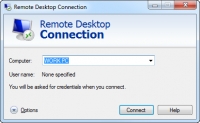
Plenty of our clients use Remote Desktop to access a terminal server or use their workstation from an off-site location. Depending on your connection and the speed of all of the devices in question, remote work can either be pretty seamless or a laggy, sluggish endeavor if your Remote Desktop client isn’t configured correctly. If you are running into a situation where you type something on your keyboard and it takes several long seconds for it to show up, these tweaks can improve performance and reduce input delays.

Tags:
0 Comments
Continue reading

Recent News

Our business began its journey with the purchase of a personal computer back in 1992. This purchase ignited a passion with Chris Chase, our CEO, and there was no stopping its momentum. Less than one year later, he had his first IT support client (and...

Understanding IT

Get the Knowledge You Need to Make IT Decisions

Technology is constantly evolving, and keeping up can feel overwhelming. Whether you want to understand cybersecurity threats, explore automation, or learn how regulations like PCI DSS impact your business, we’ve made it easy to access clear, straightforward insights on key IT topics.

Insights to Understanding IT

Contact Us

330 Pony Farm Road Suite #2
Oneonta, New York 13820

Mon to Fri 9:00am to 6:00pm

support@directive.com

(607) 433-2200